
Glint
Split your sound into bands and treat each one its own way.
VST3 for Mac and Windows, AU for Mac. No iLok, no subscription.
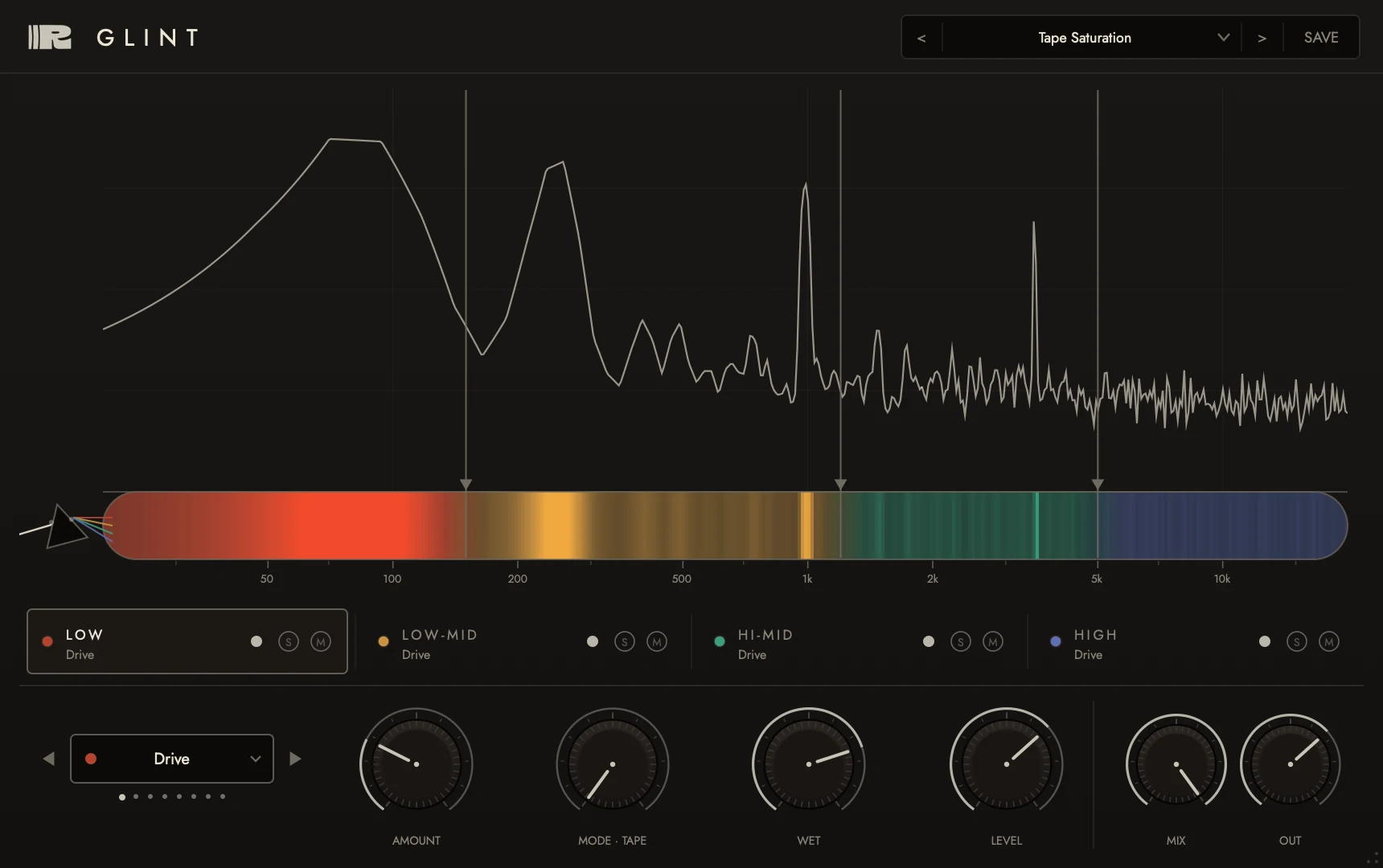
Watch the Glint demo
 Play the demo
What Glint does
Pick the band split, pick the effect per band, watch the FFT show you what each band is doing, then mix it in. For anytime you want "that effect, but only on the highs" - or "saturation, but not on the bass."
Reviews
Glint embodies an idea that is original, and simple at first glance. And it works brilliantly!
Review Glint
Most plugins treat the whole signal as one thing. Glint doesn't. Split the audio into frequency bands and route each band through its own effect - drive on the lows, chorus on the mids, delay on the highs - with a live FFT showing exactly what each band is doing.
| Formats | VST3 · AU |
| Platforms | macOS · Windows |
| Requires | macOS 11+ · Windows 10+ (64-bit) |
| Type | Insert effect |
| Best for | Mix bus · mastering · sound design |
Glint
No iLok. No subscription. Buy once, it's yours - VST3 for macOS and Windows, AU for macOS.
Installing on Windows? Windows shows a blue “Windows protected your PC” screen for any app it hasn’t seen before. Click More info, then Run anyway. Full Windows guide
Pairs well with Glint
All plugins
Every plugin. One price.
All 15 effects and instruments, for less than half of what they cost one by one.